> For the complete documentation index, see [llms.txt](https://docs.fireboom.io/llms.txt). Markdown versions of documentation pages are available by appending `.md` to page URLs; this page is available as [Markdown](https://docs.fireboom.io/v1.0/shi-yong-bu-shu-shang-xian/security.md).
# 接口安全
除了身份验证和身份授权外,Fireboom还内置更多的安全机制,来保证接口安全。
详情可前往 设置 面板查看,主要分为:系统、安全、跨域、环境变量 。
## 系统
系统设置面板主要集成了服务地址相关的配置,其中比较核心的是: API服务监听Host、API服务监听端口、API内网地址。
### 监听地址
API服务监听地址,包含:Host和端口。
API服务监听HOST,默认值 `localhost`,只能被本机访问,以保证安全。API服务监听端口默认值`9991`。
若想通过公网访问,有两种方法:
* IP访问:Host 修改为 `0.0.0.0`,防火墙放开9991端口,访问 公网IP:9991端口
* Nginx转发:通过nginx代理转发到 `localhost:9991`
### 内网访问
Fireboom不仅对外暴露API,而且还能作为数据代理层为钩子提供服务。Fireboom数据代理和Fireboom API监听端口相同,通过`/internal` 路由暴露。
API内网地址一般为:`http://localhost:9991`,因此,访问数据代理的路径一般为`http://localhost:9991/internal`。为保证数据代理接口的安全,该路由只能通过内网访问。
详情查看,钩子章节->[内部调用](/v1.0/jin-jie-gou-zi-ji-zhi/nei-bu-tiao-yong.md)
### 钩子地址
钩子地址在“状态栏”设置,默认监听 `localhost:9992` ,为保证钩子服务安全,请关闭防火墙`9992`端口。
## 安全
安全下有4个设置项目,其中重定向URL参考 身份验证->[授权码模式](/v1.0/ji-chu-ke-shi-hua-kai-fa/shen-fen-yan-zheng/shou-quan-ma-mo-shi.md)。
### GraphQL端点
GraphQL端点默认为 `http://localhost:9991/app/main/graphql` ,主要用于超图面板的内省和测试。为保证安全,生产环境下请关闭该端点。
### CSRF保护
详情见 [CSRF token 保护](/v1.0/shi-yong-bu-shu-shang-xian/security/csrf-token-protection.md)
### 允许HOST
不同域名通过 A 记录或者 CNAME 可以连接都同一个 IP 下。出于安全的考虑,有时需要限制API服务只能被特定域名或IP访问。
请求头中的`HOST`字段可以标识当前访问的主机,可根据该字段限制服务的访问地址。
例如,
* 允许Host:设置为
* 允许Host:默认值为 `*` ,表示不限制。
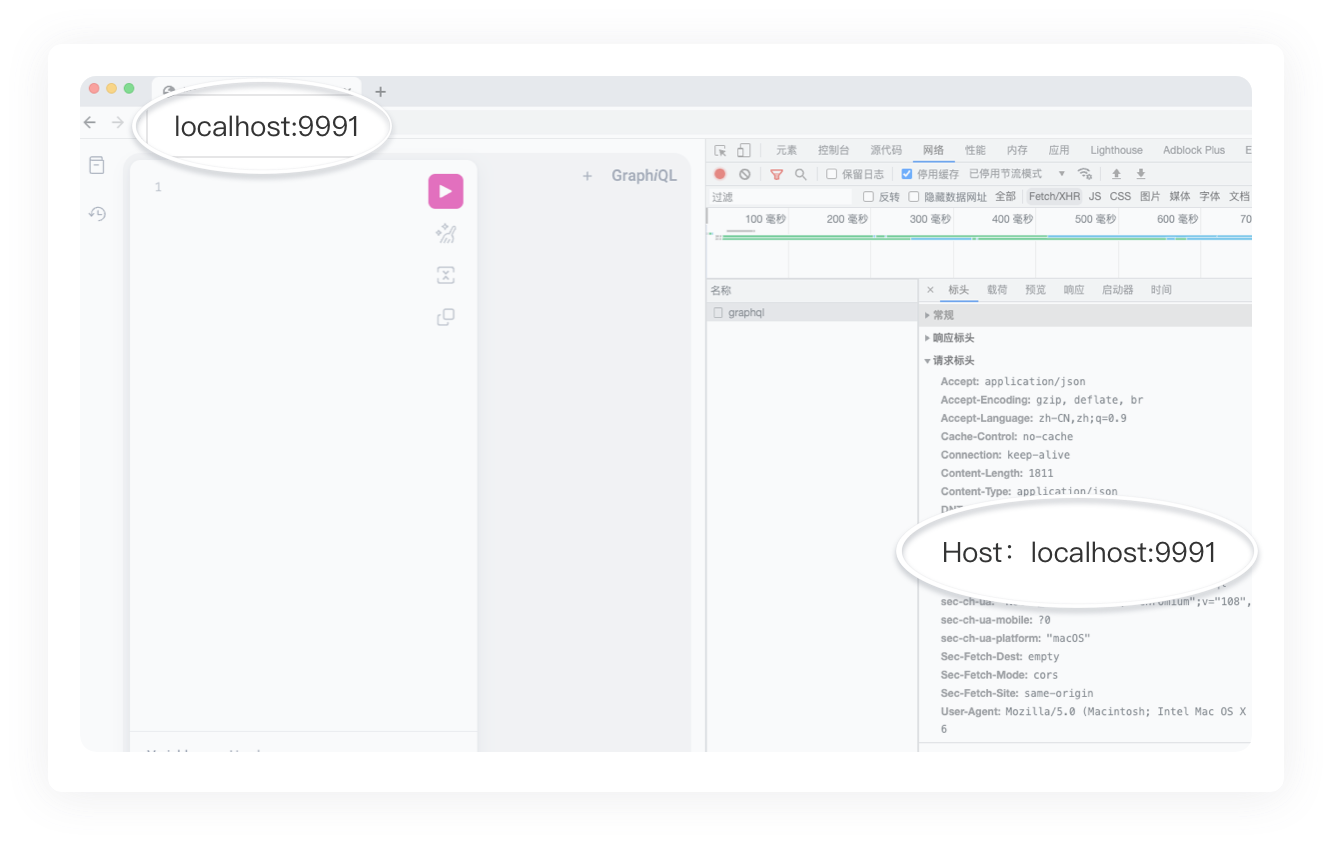
允许HOST对应请求头中的Host字段
## 环境变量
Fireboom支持用环境变量作为参数,有两个用途:
* 保证隐私数据安全,例如:数据库密码、OIDC秘钥、API外网地址等。
* 环境切换,例如开发环境和生产环境用不同的配置
前往 设置->环境变量 设置,其底层对应根目录下的`.env`文件。